Got an ADA demand letter? Fix the real WCAG issues — not a fake compliance badge.
We assist your visitors today and drive real, code-level fixes with an audit-ready record of good-faith effort. No false “instant compliance” promises — just evidence you can hand to a lawyer.
- No credit card to scan
- Cancel anytime · 30-day money-back
- Payments secured by Stripe
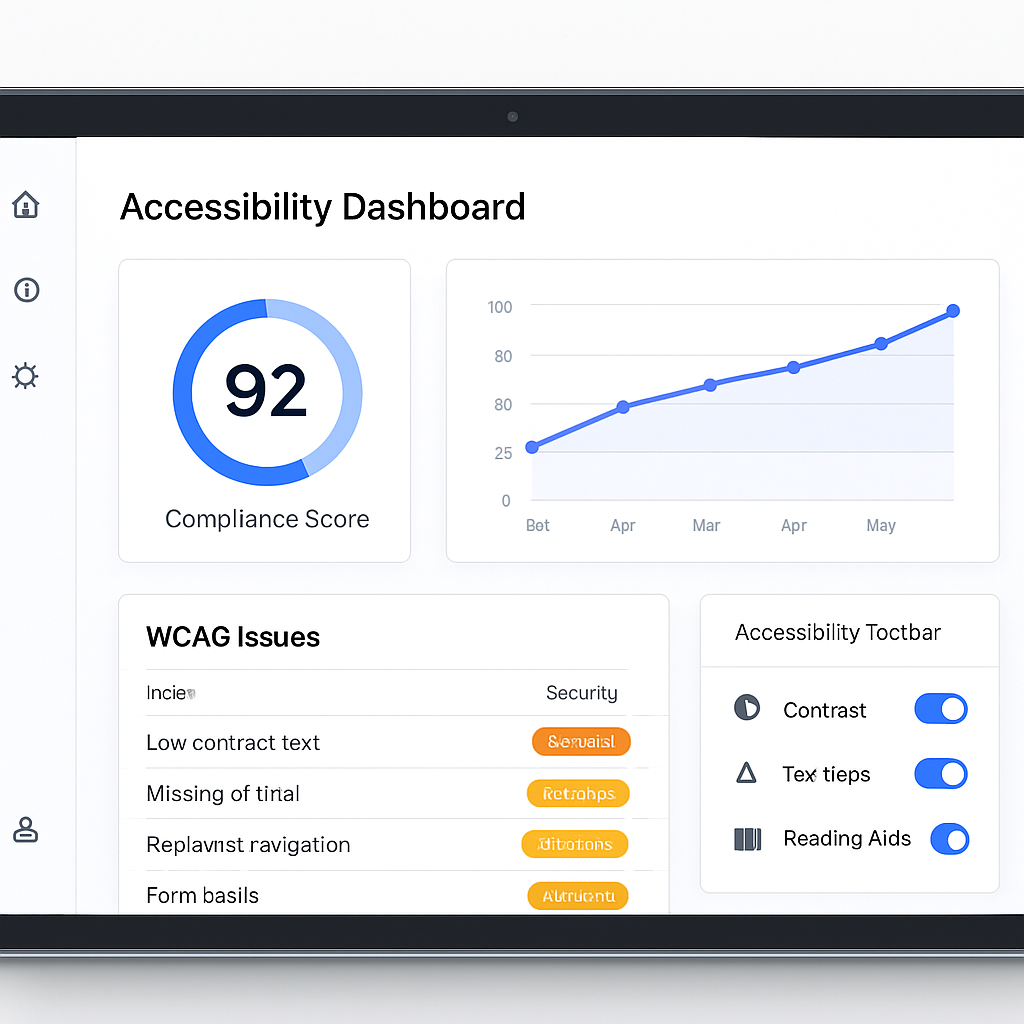
One platform for the whole accessibility journey
Most overlay tools stop at a widget. We help your visitors today and fix the root cause in your code tomorrow. Jump to the part that's yours.
For owners facing a letter
Show good faith today, and build the record that proves you acted — not a badge that invites scrutiny.
Litigation support dossier
If a demand letter arrives, export a time-stamped record of your remediation history and good-faith efforts — what was broken, when you fixed it, and how the score moved. This is the evidence an overlay cannot produce, because an overlay never changed your code.
Honest risk view
A clear, evidence-based picture of your legal exposure — not a fake compliance badge that creates more risk than it removes.
Live assistive widget
A floating toolbar lets every visitor tune contrast, text, spacing, motion, and reading aids — with one-click profiles for dyslexia, low vision, ADHD, and more.
Reports & statements
Generate a tailored accessibility statement and export audit-ready WCAG/ADA reports for legal, procurement, and leadership.
For developers
Findings precise enough to act on, and a gate that stops the same issue shipping twice.
Developer API & CI/CD
Block inaccessible code before it ships. A REST API and GitHub Action fail your pipeline on new WCAG regressions and post findings right in the pull request — so accessibility becomes a build constraint instead of a quarterly cleanup.
AI WCAG scanner
Scan any URL against WCAG 2.2 and ADA. Every issue is ranked by severity with the exact element and the specific success criterion it violates.
AI fixes & alt text
Don't just find problems. Get copy-paste code fixes and AI-generated alt text for every image, so engineers resolve issues in minutes.
Keyboard & screen-reader testing
Automated focus-order, focus-trap, and screen-reader name/role/value checks that go far beyond static color and contrast scanning.
For agencies & teams
Conformance across every property you manage, and the paperwork procurement asks for.
VPAT & compliance dashboard
Track WCAG 2.2, ADA, Section 508, and EN 301 549 conformance across every property in one view, and auto-draft a VPAT 2.5 for procurement teams — so a client RFP takes an afternoon instead of a month.
Continuous monitoring
We re-scan on a schedule and after deploys, track your score over time, and alert you the moment a regression sneaks in.
PDF & document remediation
Scan PDFs and office documents for tagging, reading order, and alt-text issues — then auto-generate accessible, tagged versions most tools ignore entirely.
Multi-language widget
The assistive toolbar and reading aids adapt to 40+ languages and right-to-left layouts, so global audiences get the same experience.
How we compare to the top 3 accessibility vendors
A head-to-head look at price and capability against accessiBe, UserWay, and AudioEye. We include the widget, the scanner, real code-level fixes, and developer tooling — for less, with no traffic metering.
| Price & capability | Best valueaccessibilitywebsite.com$199/yr1 site · no traffic limits | accessiBe$490/yrUp to 5,000 monthly visits | UserWay$588/yrPro widget tier | AudioEye$468/yrPro, self-managed |
|---|---|---|---|---|
| Live assistive widget & reading profiles | Included | Included | Included | Included |
| AI WCAG 2.2 scanner with per-criterion findings | Included | Partial or paid add-on | Partial or paid add-on | Included |
| Copy-paste code fixes & AI alt text | Included | Not included | Not included | Not included |
| Continuous monitoring & regression alerts | Included | Included | Partial or paid add-on | Included |
| Developer API, CI/CD & GitHub PR checks | Included | Not included | Not included | Not included |
| PDF & document remediation | Included | Not included | Not included | Partial or paid add-on |
| Keyboard & screen-reader testing | Included | Not included | Not included | Partial or paid add-on |
| Multi-language, RTL-ready widget | Included | Partial or paid add-on | Partial or paid add-on | Not included |
| VPAT 2.5 & audit-ready reports | Included | Partial or paid add-on | Partial or paid add-on | Partial or paid add-on |
| No traffic / pageview metering | Included | Not included | Not included | Not included |
| Fixes source code, not just a runtime overlay | Included | Not included | Not included | Not included |
| No fake 'instant compliance' badge | Included | Not included | Not included | Not included |
Read the full head-to-head
Each comparison covers the price band, what the overlay does and doesn't change, and how to switch.
Most features, lowest price — and we never meter your traffic
Start at $199/year for everything above. No surprise upgrades when your visits grow.
Competitor prices reflect each vendor's lowest published annual plan as of June 2026 and may change. accessiBe, UserWay, and AudioEye entry tiers are widget-focused and metered by monthly traffic; our Starter plan has no traffic limits. Compared on list price and publicly documented features.
Tailored to how people actually browse
Visitors pick a profile and the page adapts instantly — fonts, spacing, contrast, motion, and reading aids all at once. Try it right now: open the accessibility button in the bottom-right corner of this page.
This whole site is powered by the same widget you'd embed.
Dyslexia friendly
Readable font, generous spacing, and a reading guide.
ADHD focus
Reading mask to dim distractions and highlight headings.
Seizure safe
Stops all motion and reduces color saturation.
Vision impaired
Larger text, high contrast, and a bigger cursor.
Cognitive & learning
Readable font, slower pace, links and headings highlighted.
Color blind
Boosts saturation and outlines links so color isn't required.
Low vision
Maximum text size with high contrast and big cursor.
We'll tell you the truth about overlays
The accessibility community has rightly criticized “one-line” overlay claims. We agree. Here's how we're different.
How accessibilitywebsite.com works
- An overlay improves the experience for many users immediately
- But it cannot fix inaccessible source code or guarantee legal compliance
- Real compliance requires fixing the underlying HTML, ARIA, and design
- So we pair the widget with scanning, AI fixes, and human-friendly reports
What “instant compliance” tools do
- Promise instant, automatic ADA/WCAG compliance
- Hide problems behind a script instead of fixing them
- Can break screen readers users already rely on
- Leave you exposed when the false promise is challenged
1 in 4
U.S. adults live with a disability
96%
of top websites have WCAG failures
8,800+
U.S. web accessibility lawsuits in a recent year
71%
of disabled users leave a site that's hard to use
Frequently asked questions
See where your site stands in under a minute
Run a free WCAG scan, then explore the dashboard, monitoring, and AI-powered fixes that turn findings into real improvements.